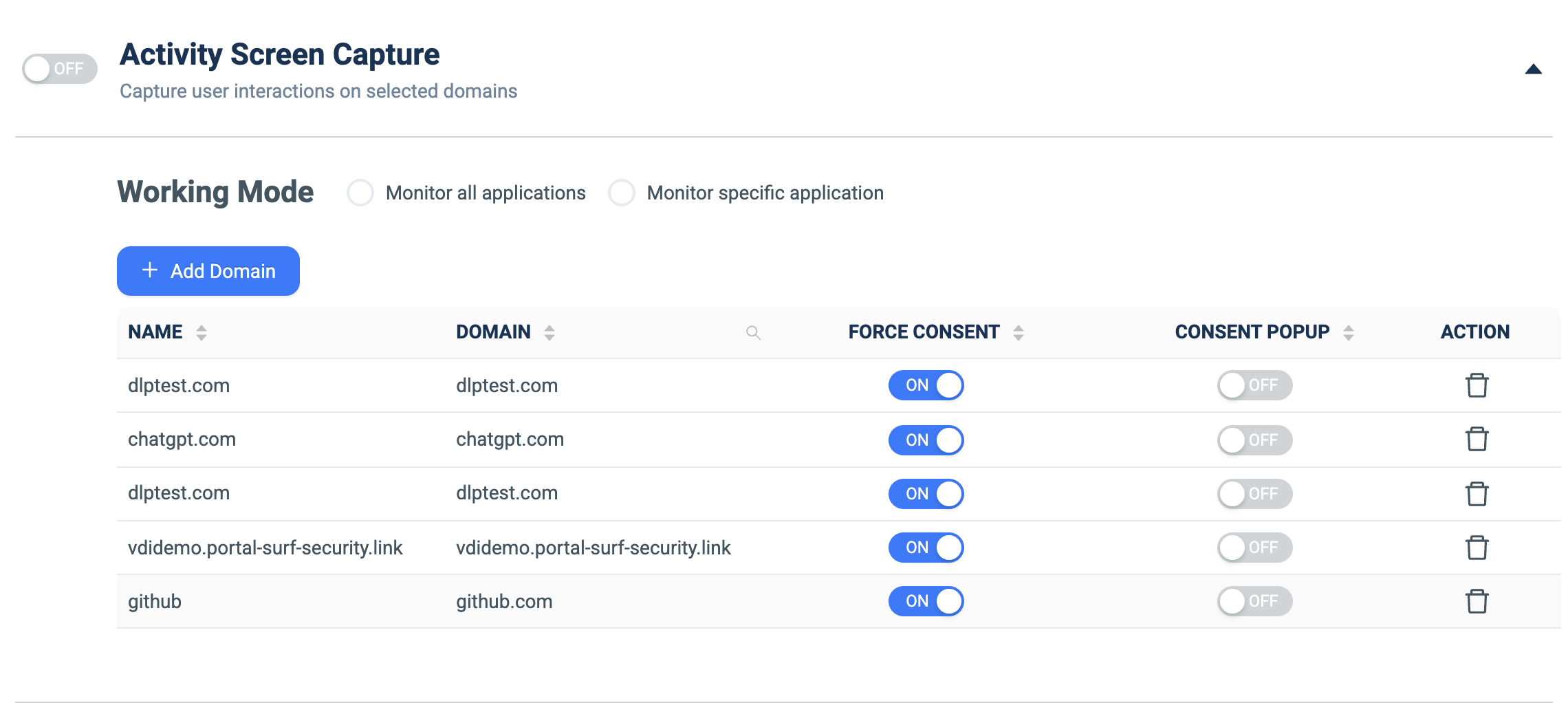
Activity Screen Capture
What it does: Captures user interactions (screen activity) on selected domains.
How to set up:
- Toggle ON.
- Under Working Mode, choose Monitor all applications or Monitor specific application.
- Click + Add Domain and fill NAME and DOMAIN.
- Per domain, set FORCE CONSENT and CONSENT POPUP toggles.
- Delete rows via the trash icon.