
Alert Properties
Within the Alerts section, you can decide what information is displayed for each user’s alert by pressing the Visible columns button on the top left of the UI.

You will now be able to decide which properties of alerts to display within your Admin UI:
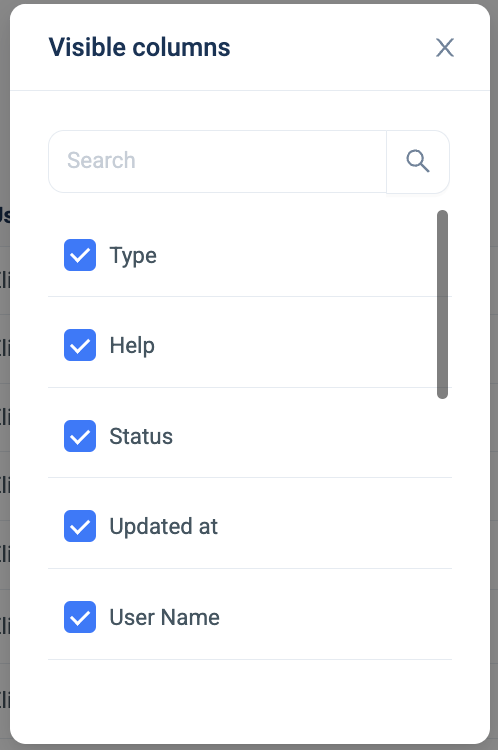
| Descriptions | |
| Type | The alert type, this often depends if the user is requesting help from the administrator. |
| Help | Presents if the user has asked the administrator for help solving the alert. |
| Status | The status of the alert; has it been approved, ignored or updated. |
| Updated at | The time and date stamp that the status of the alert was changed by the administrator. |
| User Name | The user who created the alerts name. |
| External Email | If the user has an external email linked to their SURF account, it is presented here. |
| Group | If the user is within a group, defined by the administrator, it is presented here. |
| Policy | The policy category the alert belongs to; web filtering, keylogging, etc. |
| Classification | The classification and reasoning as to why the alert occurred. |
| Restricted Resource | The URL or domain name that access was attempted by the user. |
| External IP | The External IP of the user’s device who created the alert. |
| Internal IP | The Internal IP of the user’s device who created the alert. |
| Operating System | The Operating System of the user’s device who created the alert. |