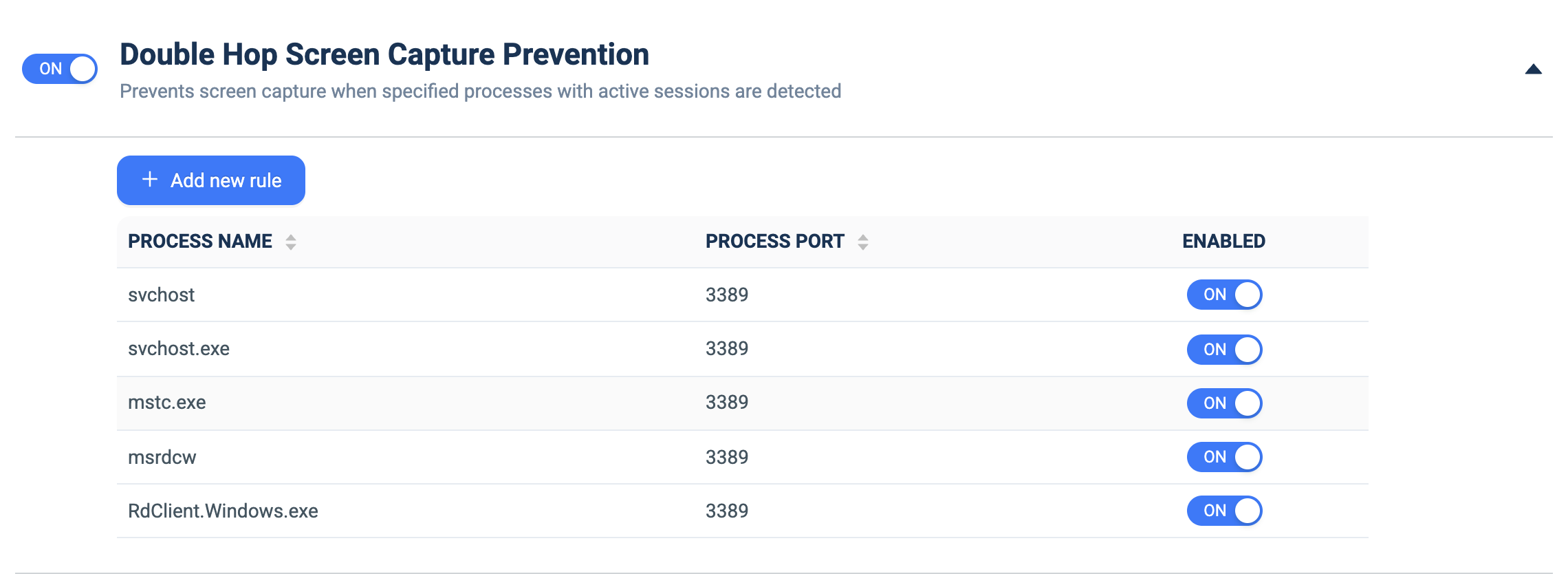
Double Hop Screen Capture Prevention
What it does: Blocks screen capture when specified remote-session processes with active sessions are detected, preventing 'double-hop' capture through a remote desktop.
How to set up:
- Toggle the master ON/OFF switch to ON.
- Click + Add new rule.
- Fill PROCESS NAME with the process/executable (e.g. `mstc.exe`, `RdClient.Windows.exe`, `svchost.exe`).
- Fill PROCESS PORT with the port to match (e.g. `3389` for RDP).
- Use the per-row ENABLED toggle to activate each rule.