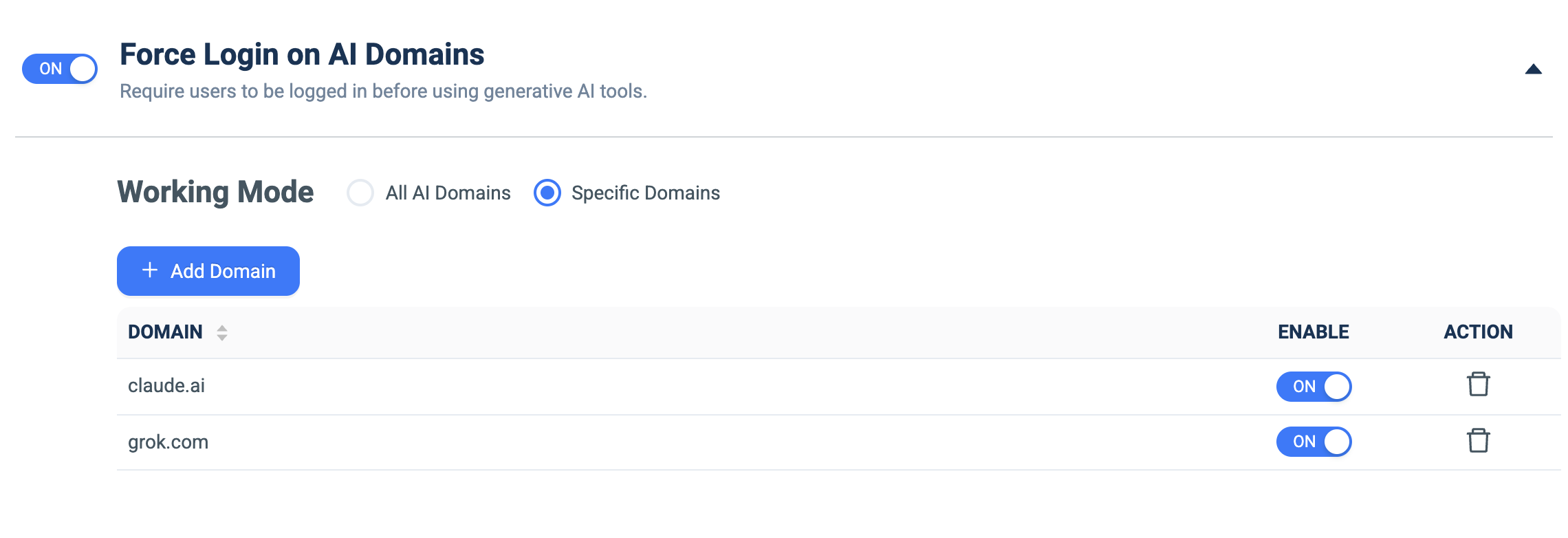
Force Login on AI Domains
What it does: Blocks generative-AI tools until the user is logged in — for all AI domains or a specific allowlist.
How to set up:
- Toggle ON.
- Under Working Mode, choose All AI Domains or Specific Domains.
- For Specific Domains, click + Add Domain and enter the domain (e.g. claude.ai, grok.com).
- Use each row's ENABLE toggle.