
Groups
Under the Groups tab, all groups created by the administrators within the system can be created, deleted and managed.
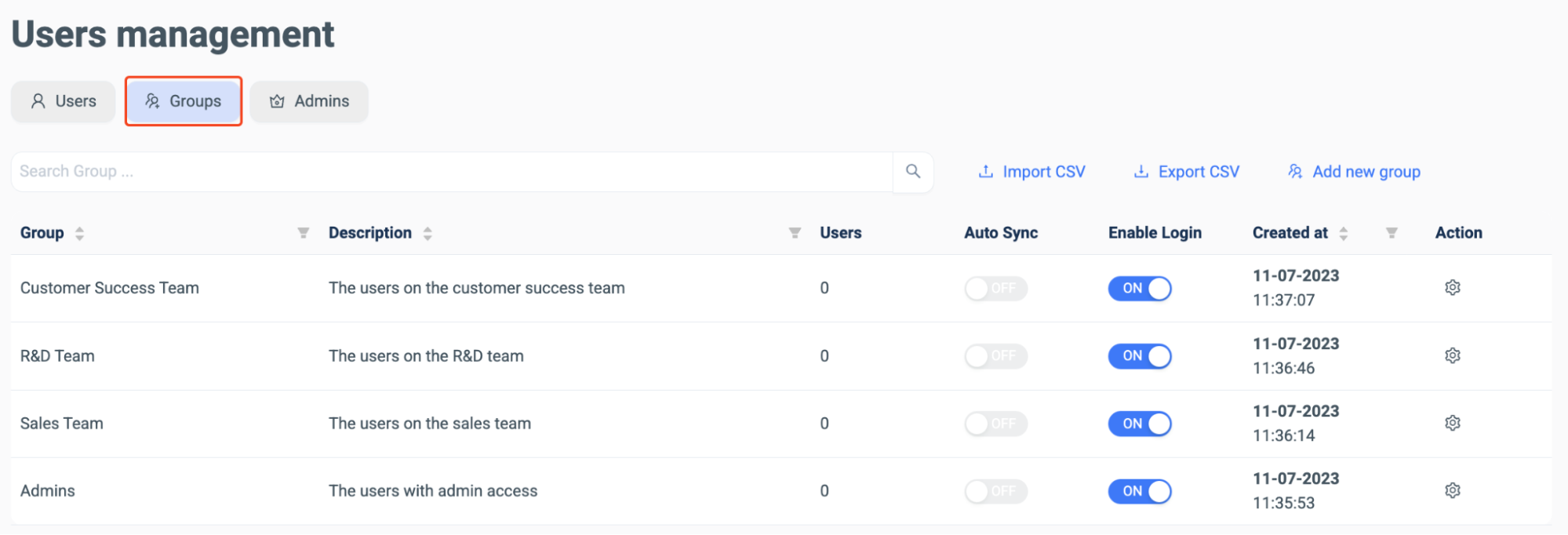
Like in the Users tab, a required group can be searched for using the search bar and new groups can be created.

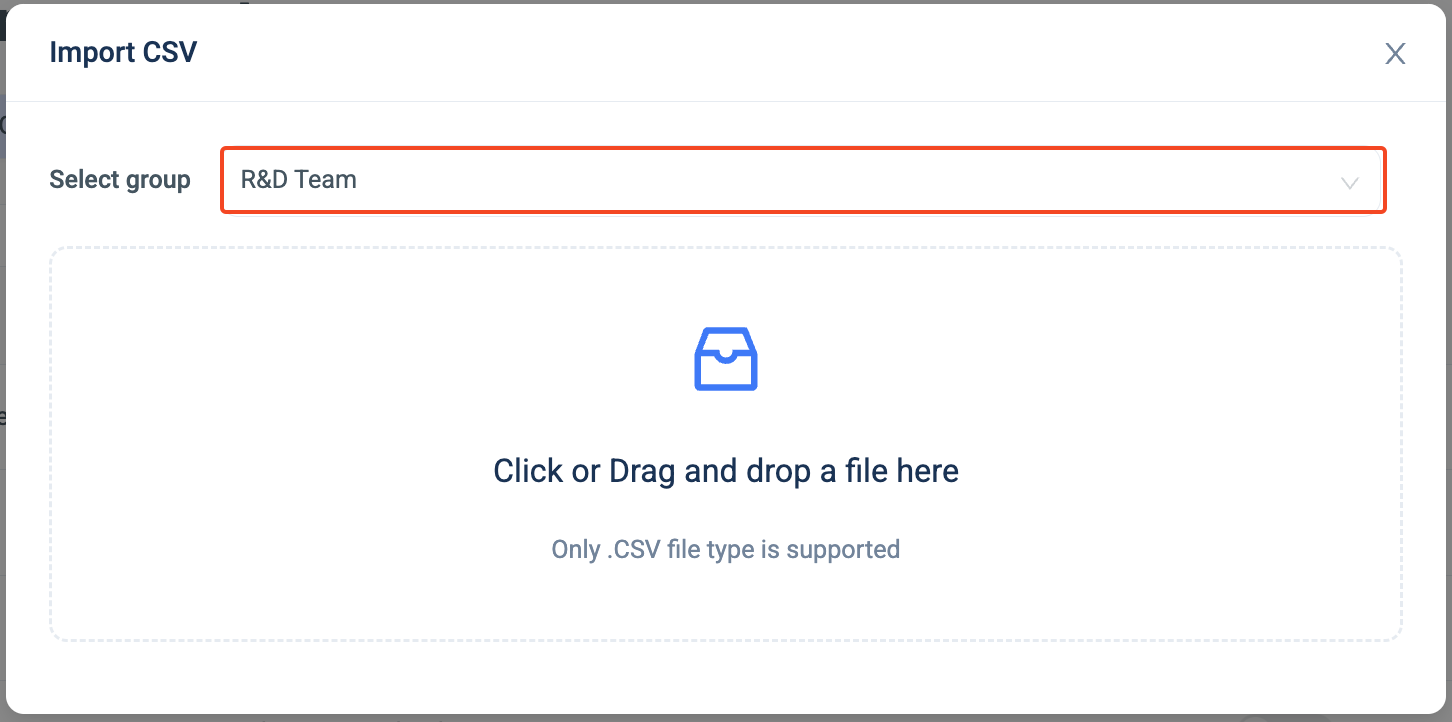
A CSV file can be imported, as with the Users tab. The administrator is prompted to choose a premade group and asked to import a file for the chosen group.
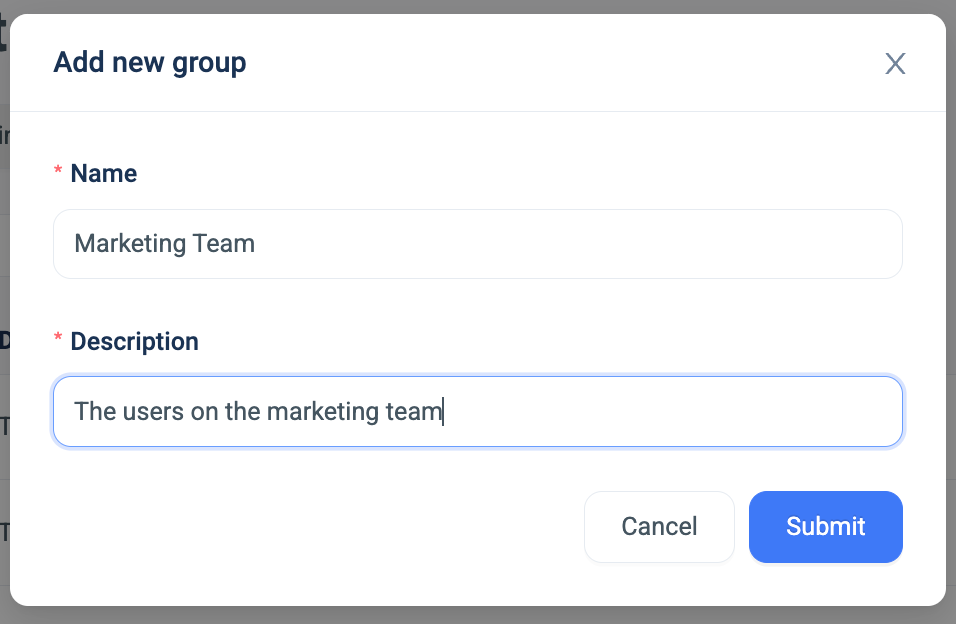
Otherwise, groups may be added manually with a name and description:
The groups can also be exported as a CSV file for further use:

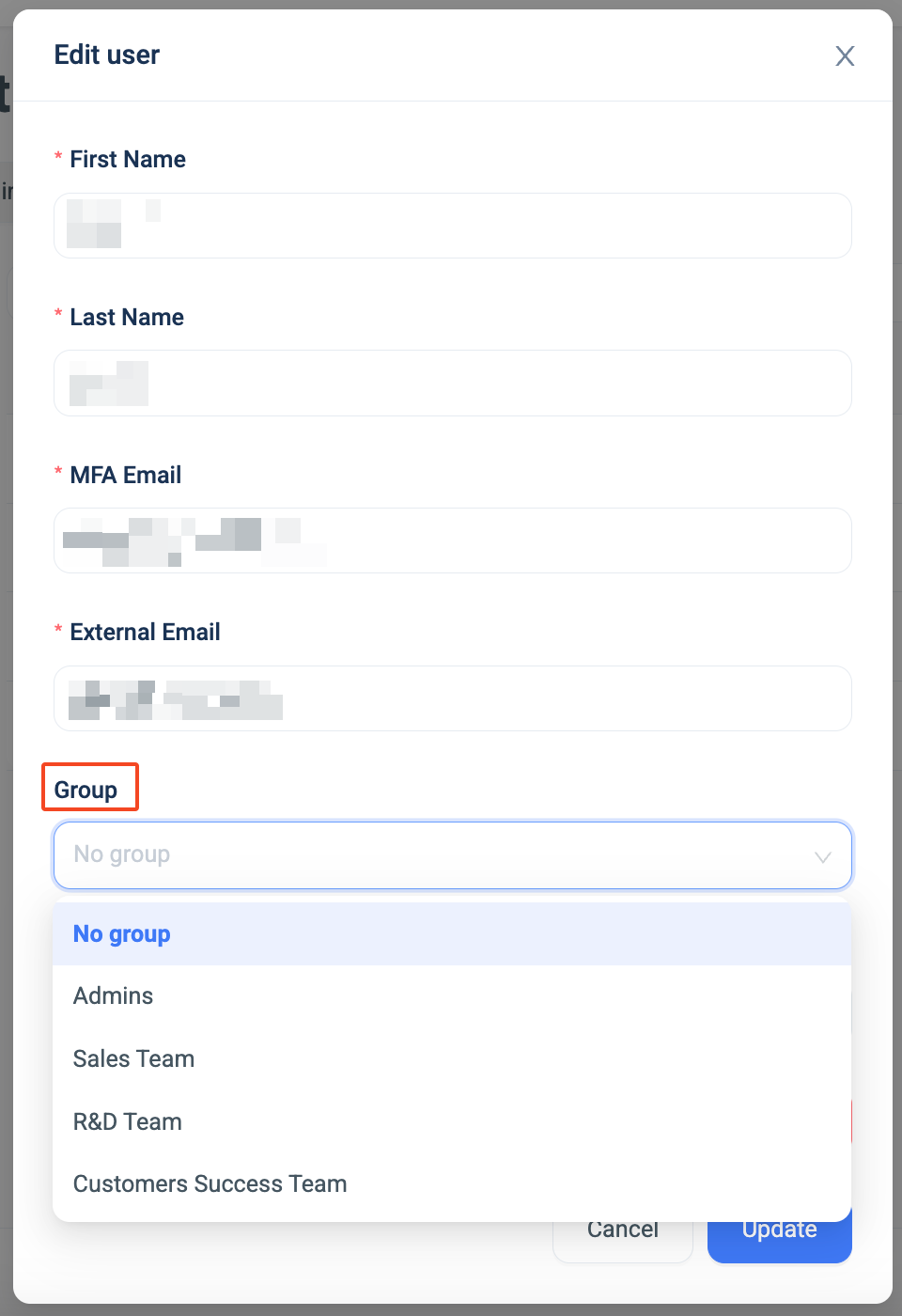
As the system now has existing groups, the admin can assign existing users or new users to chosen groups under the User tab, see above, by creating a new user or editing an existing one:
Once the administrator has created groups, they can manage it’s settings and users within the Groups tab.
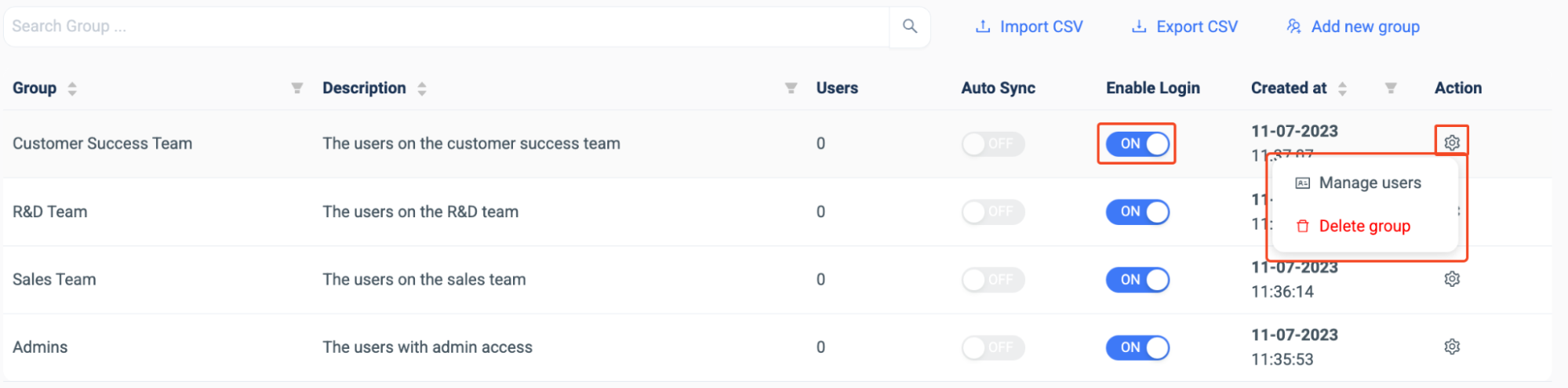
The administrator can enable or disable the groups login abilities, as seen above, manage users and delete the group, under the ‘Action’ tab.
If the administrator accessed the ‘Manage users’ function, they can see the users within the chosen group.
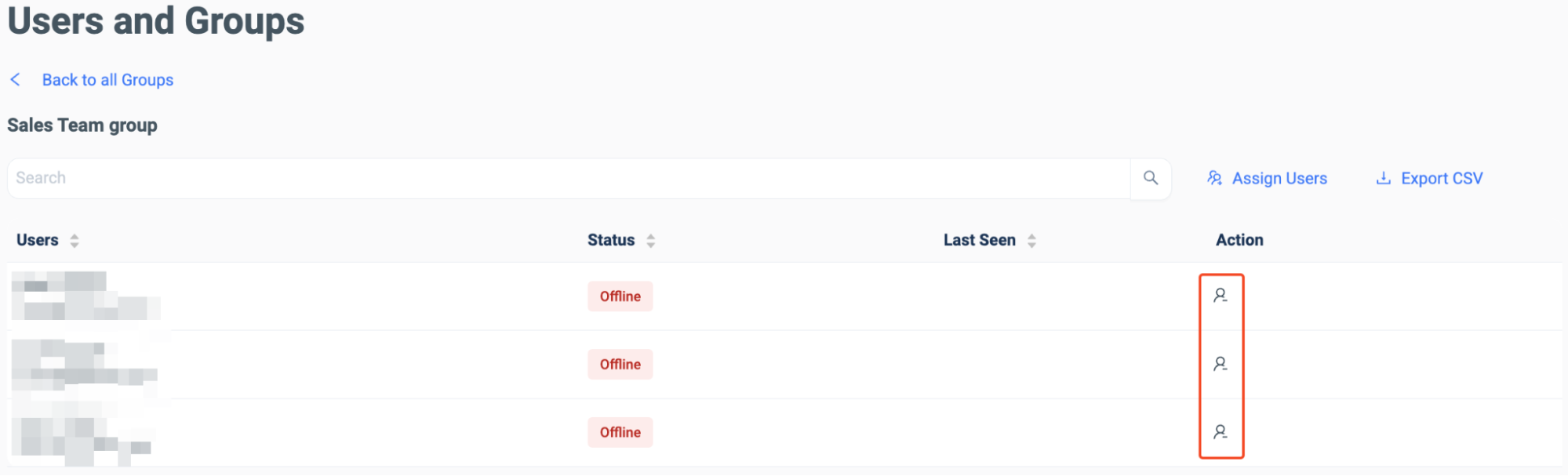
They can delete a user from the group under the ‘Action’ tab, see above, as well as searching for a set user, assigning users, exporting the user data in a CSV file.