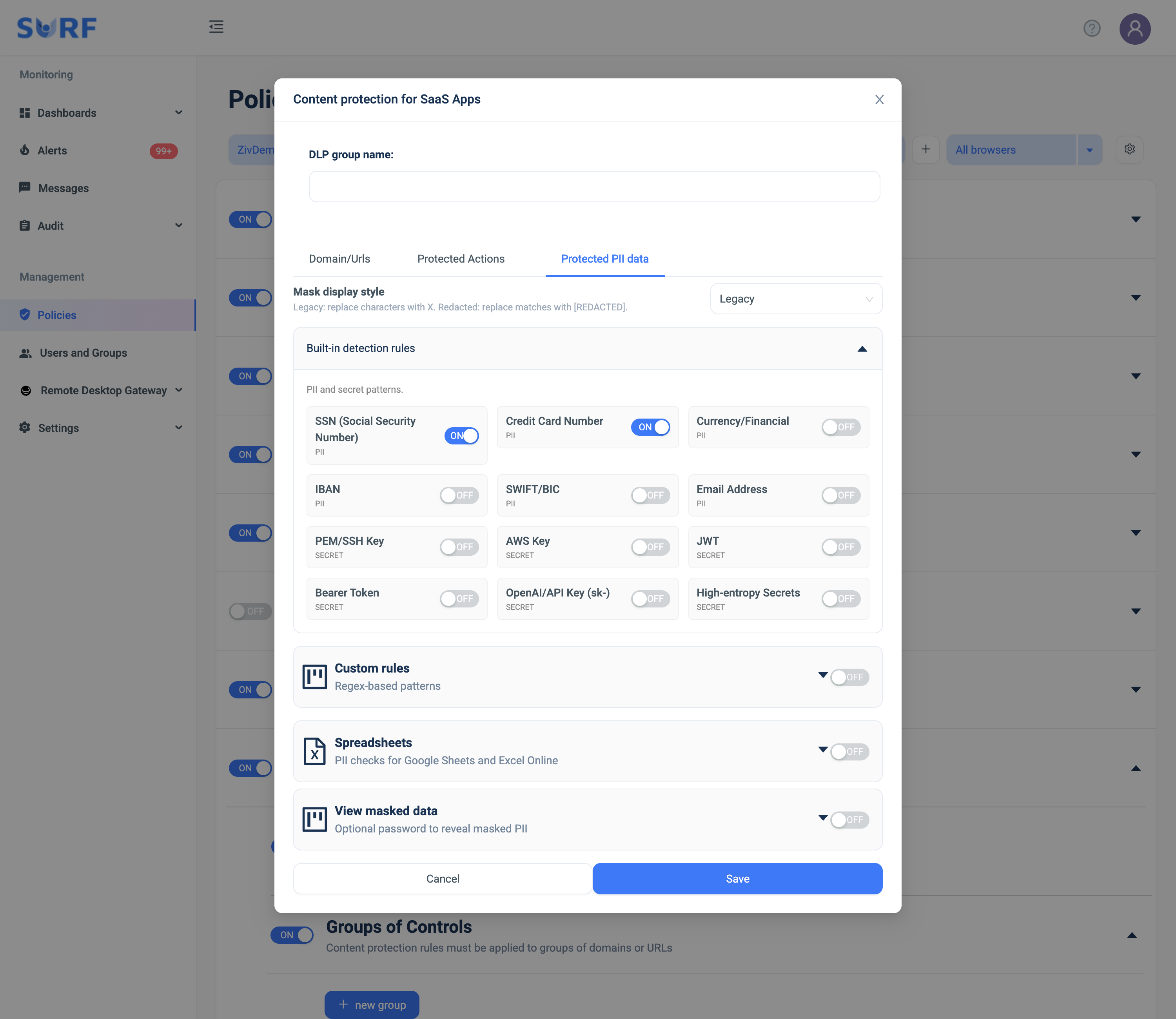
Groups of Controls
What it does: Defines named groups of domains/URLs and the content-protection actions enforced on them. Rules only take effect once applied to a group.
How to set up:
- Click + new group — the Content protection for SaaS Apps dialog opens.
- Enter a DLP group name.
- Domain/URLs tab: pick a Working mode (Protect all URLs / Protect specific URLs / Protect by category), then add URLs (+ Add URL) or toggle the built-in SaaS apps (+ Add application) the group applies to.
- Protected Actions tab: enable the actions to enforce (see list below).
- Protected PII data tab: choose the mask style and enable the PII/secret detectors (see list below).
- Click Save. Back in the list, use the per-row ENABLE toggle, ✏️ to edit, or ✕ to delete the group.
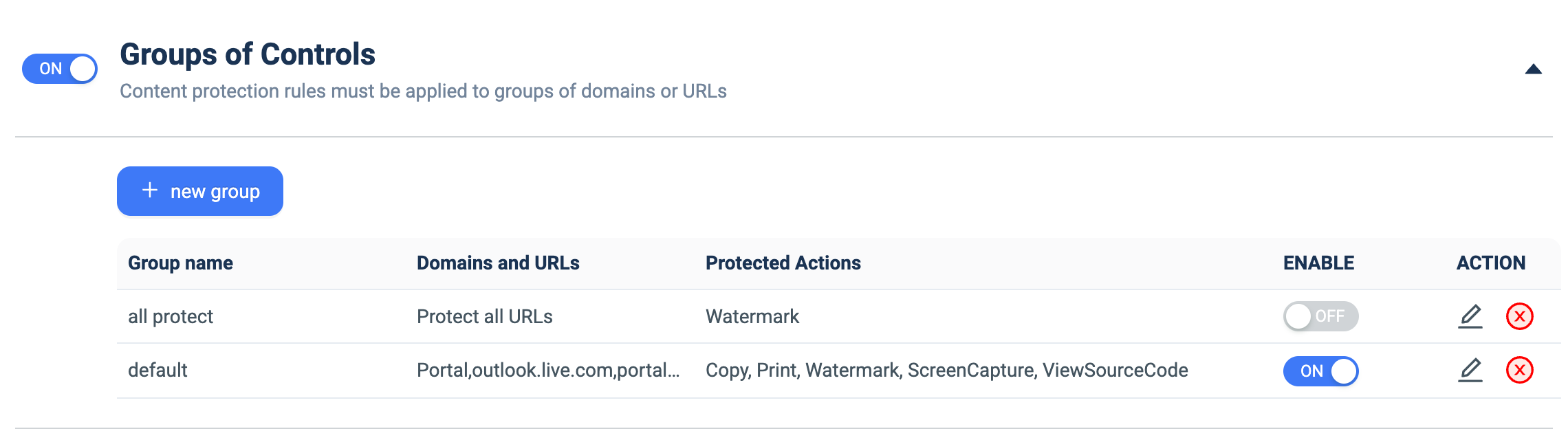
Creation form — Domain/URLs tab
Choose the working mode and select which sites/apps the group covers. Built-in SaaS apps (GitHub, GitLab, Gmail, O365, Salesforce, Notion, Workday, Zendesk, …) can be toggled individually, or add your own with + Add URL / + Add application.
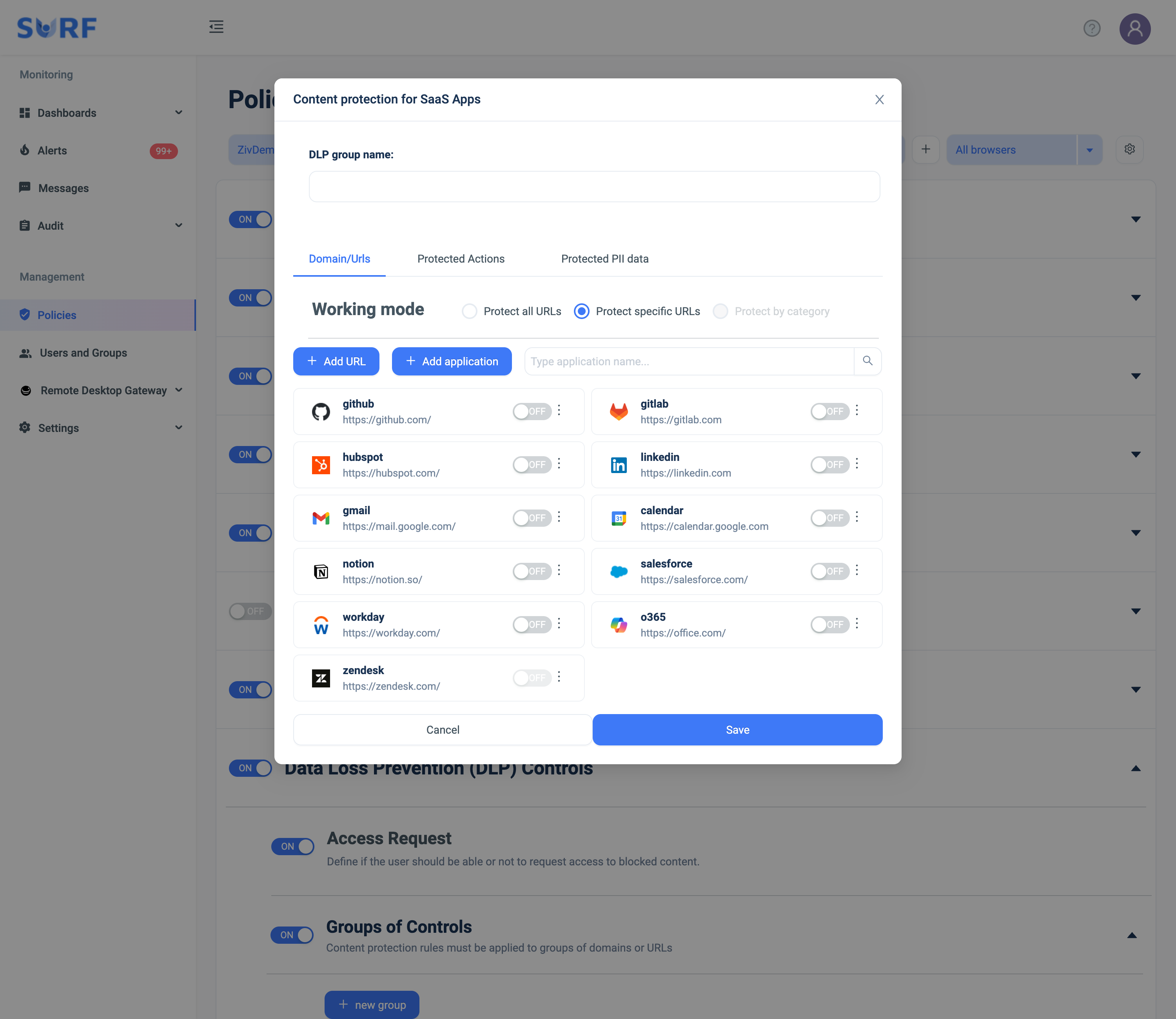
Creation form — Protected Actions tab (the actions you can block on the group's sites):
- Copy — protect from copying content.
- Paste — protect from pasting content.
- Print — protect from printing content.
- View Source Code — protect from viewing the page source code.
- Screen Capture — protect from screen capturing.
- Watermark — overlay a watermark on the user's view (deters/traces screenshots).
- Database Injection — block database-injection strings in input fields.
- Cross Browser Redirect — redirect users to the SURF browser to access content with policies unsupported on Chrome.
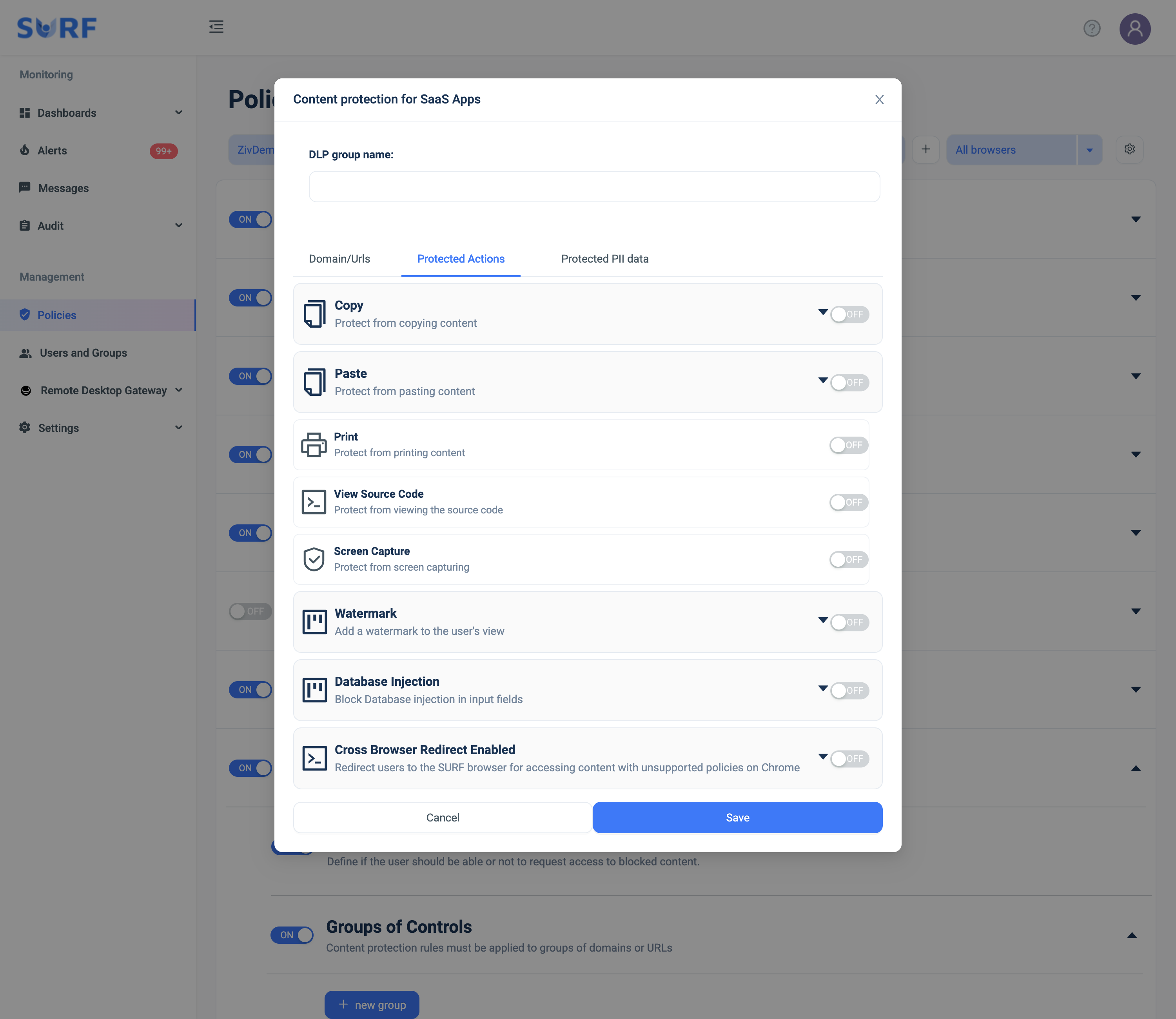
Creation form — Protected PII data tab (detect & mask sensitive data before it leaves):
- Mask display style — *Legacy* (replace characters with X) or *Redacted* (replace matches with [REDACTED]).
- Built-in detection rules — toggle the PII/secret detectors to enforce: SSN, Credit Card Number, Currency/Financial, IBAN, SWIFT/BIC, Email Address, PEM/SSH Key, AWS Key, JWT, Bearer Token, OpenAI/API Key (sk-), High-entropy Secrets.
- Custom rules — add your own regex-based patterns for organization-specific data.
- Spreadsheets — run PII checks inside Google Sheets and Excel Online.
- View masked data — optionally require a password to reveal masked PII.