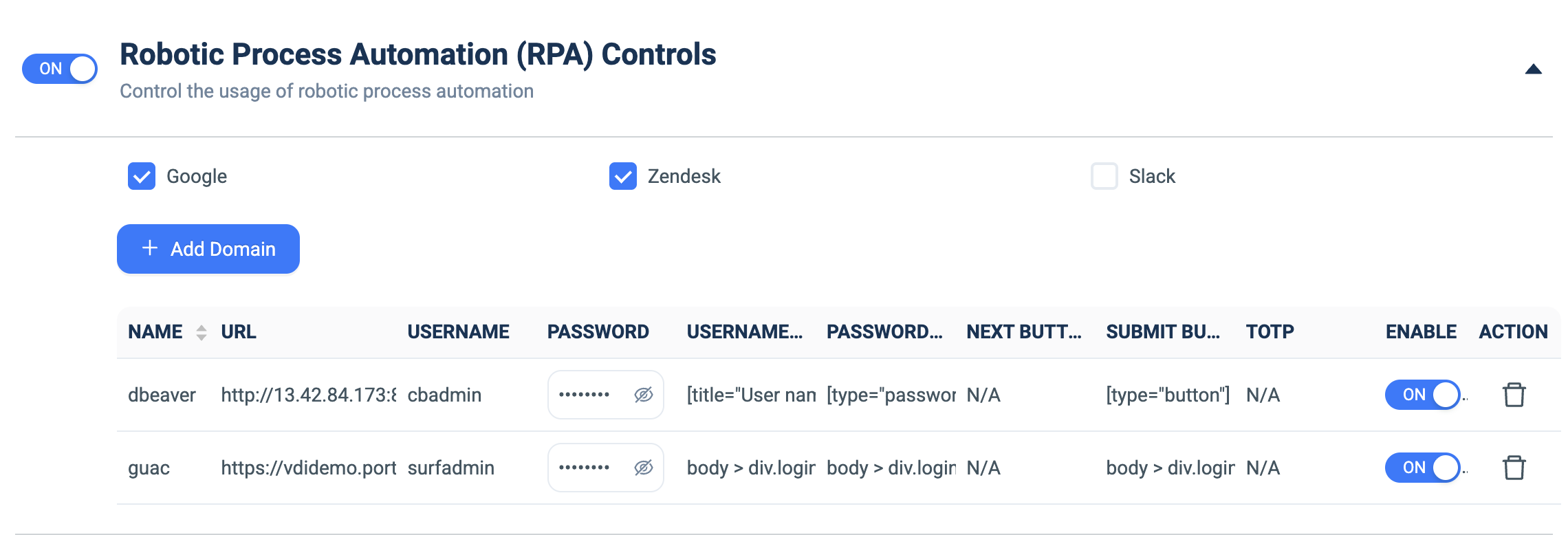
Robotic Process Automation (RPA) Controls
What it does: Defines automated login profiles that auto-fill credentials into target apps using CSS selectors (with optional TOTP), so the client can log users into internal tools.
How to set up:
- Toggle ON.
- Tick built-in provider checkboxes as needed (Google, Zendesk, Slack…).
- Click + Add Domain for a custom target.
- Fill NAME, URL, USERNAME, PASSWORD, the USERNAME/PASSWORD/NEXT/SUBMIT-button CSS selectors, and TOTP.
- Use the per-row ENABLE toggle; delete with the trash icon.